
Baji is mainly designed for mobile users, but PC and laptop users can also access the platform on a larger screen. Using Baji on a computer can make navigation more comfortable, especially when browsing different game categories, checking sports sections, managing an account, or viewing live casino content.
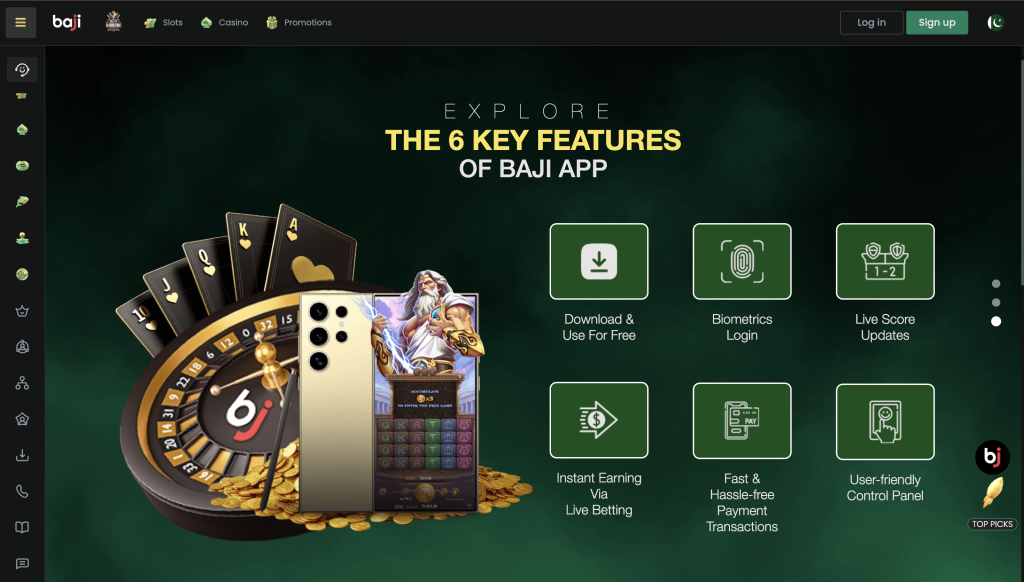
Depending on the available version, users can access Baji directly through a supported web browser. Android app access on Windows may also be possible through a compatible Android environment or emulator. Visit the complete Baji Game Guide.
How to Use Baji on PC
The simplest way to use Baji on a computer is through a web browser. This method does not require installing the Android APK.
Follow these steps:
- Turn on your Windows PC or laptop.
- Open an updated browser such as Chrome, Edge, or Firefox.
- Open the Baji web platform.
- Select the Login option if you already have an account.
- Enter your registered account details.
- Complete any verification shown on the screen.
- After logging in, open the available games, sports, promotions, or account sections.
How to Download Baji for PC
The Baji APK is an Android installation file, so it cannot normally be installed directly on Windows like a standard .exe program. Users who specifically want the Android app experience on a PC need an Android-compatible environment.
The general process works like this:
- Install a compatible Android environment or emulator on your PC.
- Open the Android environment after installation.
- Download the Baji APK file.
- Select the option to install an APK.
- Choose the downloaded Baji APK.
- Wait for installation to finish.
- Open Baji from the Android environment.
- Log in using your existing Baji account.
There is no need to create another account simply because you are switching from a phone to a computer.
Baji PC System Requirements
| Feature | Minimum | Recommended |
|---|---|---|
| Operating System | Windows 10 | Windows 11 |
| RAM | 4 GB | 8 GB or more |
| Processor | Dual-core processor | Modern quad-core or better |
| Free Storage | 2 GB | 5 GB or more |
| Display | 1366 × 768 | Full HD 1920 × 1080 |
| Internet | Stable broadband | High-speed Wi-Fi/Ethernet |
| Browser | Updated browser | Latest Chrome, Edge, or Firefox |
| Android Environment | Compatible emulator | Latest compatible version |
Actual requirements can be higher when running the Android app through an emulator because the emulator itself uses additional system resources.
Baji Web Version vs Android App on PC
For most PC users, browser access is the easier option. It avoids installing additional software and provides direct access to the platform from Windows.
Running the Android APK through an emulator is more suitable for users who specifically prefer the mobile-app interface. However, it requires additional storage, RAM, and processing power.
Features Available on Baji PC
Using Baji on a larger display can make different parts of the platform easier to view. Depending on current availability, users may be able to access:
- Casino and slot games
- Live casino tables
- Sports betting
- Bonuses and promotions
- Daily rewards
- Weekly and monthly tournaments
- VIP Lounge
- Deposit and withdrawal options
- Transaction history
- Account settings
- Customer support
How to Log in to Baji on PC
Existing users can use their normal account credentials on a computer.
- Open Baji in your browser or Android environment.
- Click Login.
- Enter your registered mobile number or username.
- Enter your password.
- Complete any security verification if requested.
- Click Login to open your account.
Your account information remains associated with the account rather than a particular device, so a separate PC account is generally unnecessary.
Baji Not Working on PC – Common Fixes
If Baji does not load correctly on your computer, first check the internet connection and refresh the page. Clearing the browser cache, updating the browser, or restarting it can also resolve common loading problems.
If you are running the Android app through an emulator, make sure enough RAM and storage are available. Updating the emulator or restarting the virtual Android device may also fix performance issues.
Advantages of Using Baji on PC
A PC provides considerably more screen space than a smartphone, which can make menus, live content, account information, and multiple gaming categories easier to view. A stable home internet connection can also provide a smoother experience than an inconsistent mobile connection. The browser version is particularly convenient because users can access their existing accounts without installing an APK or keeping another application running.
Can Baji APK Be Installed Directly on Windows?
No. An Android APK is not a native Windows application and cannot normally be opened directly as a standard Windows program. It requires a compatible Android environment. For users who simply want to access Baji from a computer, using the web version is usually the more straightforward option.
Final Thoughts
Baji can be accessed from a PC or laptop without creating a separate account. Browser access provides the simplest experience, while users who specifically want the Android-style interface can use a compatible Android environment. A larger display, keyboard and mouse controls, and a stable internet connection can make navigating Baji more comfortable on Windows.